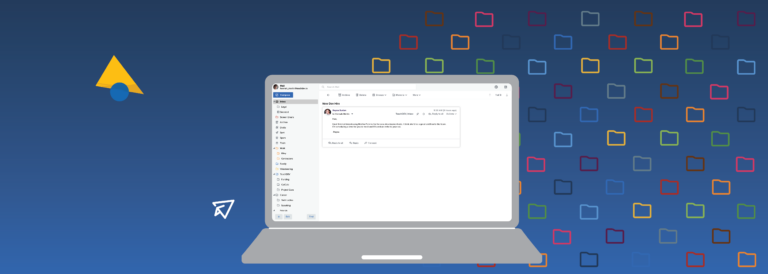
When we at Pobox Customer Service get a question about a particular message, one of the first things we usually ask is, "Can you send us the full headers of the message?" The full headers are a treasure trove of information, reflecting (nearly) everything that happened to the message from the time it was sent to the time you received it.
This week, we've rolled out a new Help section, How to Read Email Headers, to provide a map of sorts, so you can mine that treasure trove yourself. From the very basic question of "What are email headers?" to the super-advanced problem debugging of how to use email headers to figure out why you're getting two copies of messages, there's information at every level. Please check it out. If you have other questions about email headers you'd like to see featured there, just let us know!
Friday, June 17, 2011
Tuesday, June 7, 2011
Accounts get hacked. Don't let yours be next!
Last week, I notified you about a policy change to our SMTP relay. We got a fair number of questions about it, so let me clarify why we made the change. Over the last few months, we have seen more than 30 paid, active-for-many-years accounts compromised and used to send spam.
At least once a month, a major web service announces that their email database has been hacked. (Most recently has been Sony; Gawker Media, which includes Gizmodo and Lifehacker; and Fox TV.) Analysts estimate that 20% to 35% of people use the same password for nearly every website. If you use the same password for your Pobox account for other accounts on the Internet, you have an excellent chance of your account being used to send spam at some point in the near future.
So, what should you do? Go change your Pobox password now. While you're at it, go change the passwords for any other email accounts you still have open. (Yes, that means the old Hotmail account you never closed down, too. Haven't you gotten apologies from your Facebook friends yet about the spam they've sent out?)
Make sure you use different passwords, or this post will be up again in another 6 months. But how are you supposed to remember different passwords for all the different sites out there? Like you, I do not have an endless memory for passwords, so I use 1Password. Prefer to go for a non-software solution? Here are some suggestions for alternate methods of generating site-specific passwords.
I know I harp on the topic of password security a lot. But it's a big, bad Internet out there, and there are a lot of folks who are interested in using your good name to spread viruses and botnets, sell Viagra, and scam your friends. Keeping your password safe is more than just good for you. It's good for everyone whose email address you have, from the person who last corresponded with you in 1996, to your boss, mother, and best friend.
At least once a month, a major web service announces that their email database has been hacked. (Most recently has been Sony; Gawker Media, which includes Gizmodo and Lifehacker; and Fox TV.) Analysts estimate that 20% to 35% of people use the same password for nearly every website. If you use the same password for your Pobox account for other accounts on the Internet, you have an excellent chance of your account being used to send spam at some point in the near future.
So, what should you do? Go change your Pobox password now. While you're at it, go change the passwords for any other email accounts you still have open. (Yes, that means the old Hotmail account you never closed down, too. Haven't you gotten apologies from your Facebook friends yet about the spam they've sent out?)
Make sure you use different passwords, or this post will be up again in another 6 months. But how are you supposed to remember different passwords for all the different sites out there? Like you, I do not have an endless memory for passwords, so I use 1Password. Prefer to go for a non-software solution? Here are some suggestions for alternate methods of generating site-specific passwords.
I know I harp on the topic of password security a lot. But it's a big, bad Internet out there, and there are a lot of folks who are interested in using your good name to spread viruses and botnets, sell Viagra, and scam your friends. Keeping your password safe is more than just good for you. It's good for everyone whose email address you have, from the person who last corresponded with you in 1996, to your boss, mother, and best friend.
Subscribe to:
Posts (Atom)
Blog Archive
- November 2011 (1)
- July 2011 (2)
- June 2011 (2)
- May 2011 (2)
- April 2011 (1)
- February 2011 (2)
- November 2010 (1)
- September 2010 (1)
- August 2010 (1)
- July 2010 (2)
- May 2010 (2)
- April 2010 (2)
- March 2010 (2)
- February 2010 (4)
- January 2010 (3)
- November 2009 (1)
- October 2009 (2)
- September 2009 (3)
- August 2009 (1)
- July 2009 (1)
- June 2009 (2)
- May 2009 (3)
- April 2009 (2)
- March 2009 (4)
- February 2009 (3)
- January 2009 (5)
- December 2008 (2)
- October 2008 (2)
- September 2008 (2)
- May 2008 (1)
- March 2008 (1)
- January 2008 (1)